Den Rechner starten.
Insert the bootable USB stick with Knoppix into the USB port of the computer.
Stecke den bootfähigen USB-Stick mit Knoppix in den USB-Anschluss des Rechners.
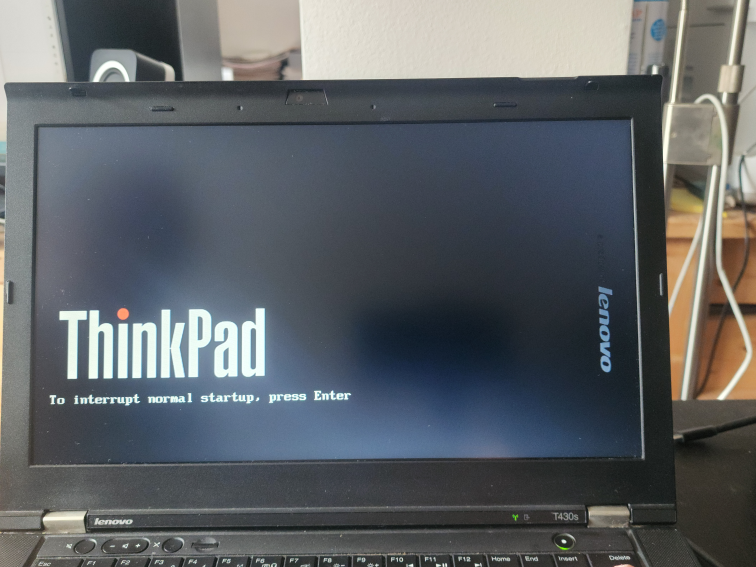
Switch on the computer, interrupt the boot process with the corresponding key (here the ENTER key for a Thinkpad T430s).
Schalte den Rechner ein, unterbreche das Hochfahren mit der entsprechenden Taste (hier die ENTER-Taste für ein Thinkpad T430s).
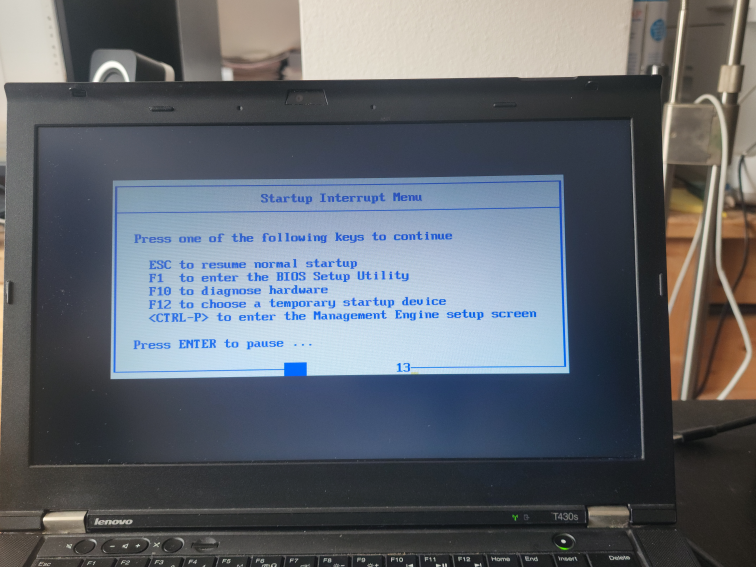
For this computer press the key F12 to choose a temporary startup device.
Für diesen Rechner die Taste F12 drücken, um ein temporäres Startgerät (den USB-Stick) zu wählen.